Marie Claire UK Marie Claire UK
  • Fashion Fashion
      • Fashion
        • View all Fashion
        • Fashion Trends
        • Shopping
        • Watches and Jewellery
        • Fashion News
  • Beauty Beauty
      • Beauty
        • View all Beauty
        • Fragrance
        • Hair
        • Make Up
        • Skincare
        • Nails
        • Marie Claire Beauty Awards
  • Health Health
      • Health
        • View all Health
        • Fitness
        • Nutrition
        • Female Health
        • Wellbeing
  • Life Life
      • Life
        • View all Life
        • Opinions
        • Travel
        • Sustainability
        • Weddings
        • Money & Work
        • Competitions
  • Culture Culture
      • Culture
        • View all Culture
        • TV and Film
        • Celebrity News
        • Books
        • Royal News
  • Vouchers Vouchers
      • Clothing
        • View all Vouchers
        • Mint Velvet
        • Karen Millen
        • H&M
        • nobody's child
        • ASOS
        • ARKET
        • MANGO
      • Designer Clothing
        • View all Vouchers
        • Reiss
        • THE OUTNET
        • SSENSE
        • Mytheresa
        • Liberty London
        • Selfridges
        • Farfetch
      • Accessories
        • View all Vouchers
        • AllSaints
        • Aspinal of London
        • Charles & Keith
        • River Island
        • FitFlop
        • Kate Spade
        • Vagabond
      • Jewellery
        • View all Vouchers
        • Pandora
        • Abbott Lyon
        • Goldsmiths
        • Beaverbrooks
        • Astrid & Miyu
        • Swarovski
        • Angara Jewellery
      • Beauty
        • View all Vouchers
        • Sephora
        • Cult Beauty
        • Space NK
        • Dyson
        • Clarins
        • Look Fantastic
        • Clinique
      • Activewear
        • View all Vouchers
        • Lululemon
        • Gymshark
        • Sweaty Betty
        • Nike
        • adidas
        • New Balance
        • Helly Hansen
  • NEWSLETTER Signup to our newsletter
  • logoCreated with Sketch.
    Marie Claire Newsletter

    Celebrity news, beauty, fashion advice, and fascinating features, delivered straight to your inbox!


    By submitting your information you agree to the Terms & Conditions and Privacy Policy and are aged 16 or over.

    You are now subscribed

    Your newsletter sign-up was successful


    An account already exists for this email address, please log in.
    Trending
    • Women in Sport 2026
    • Marie Claire Masters
    • Spring Summer 2026
    • Nail Trends 2026
    • Best Investment Bags
    • Best Perfumes
    • Digital Issues
    • Women Who Win
    1. Culture
    2. Technology

    3 Quick Hacks To Get Around That Annoying 'Not Enough Storage' iPhone Notification

    Need more iPhone storage? You don't have to delete all your stuff you know. These three quick hacks will sort you right out...

    By Marie Claire
    Published 9 February 2016 In Features

    When you purchase through links on our site, we may earn an affiliate commission. Here’s how it works.

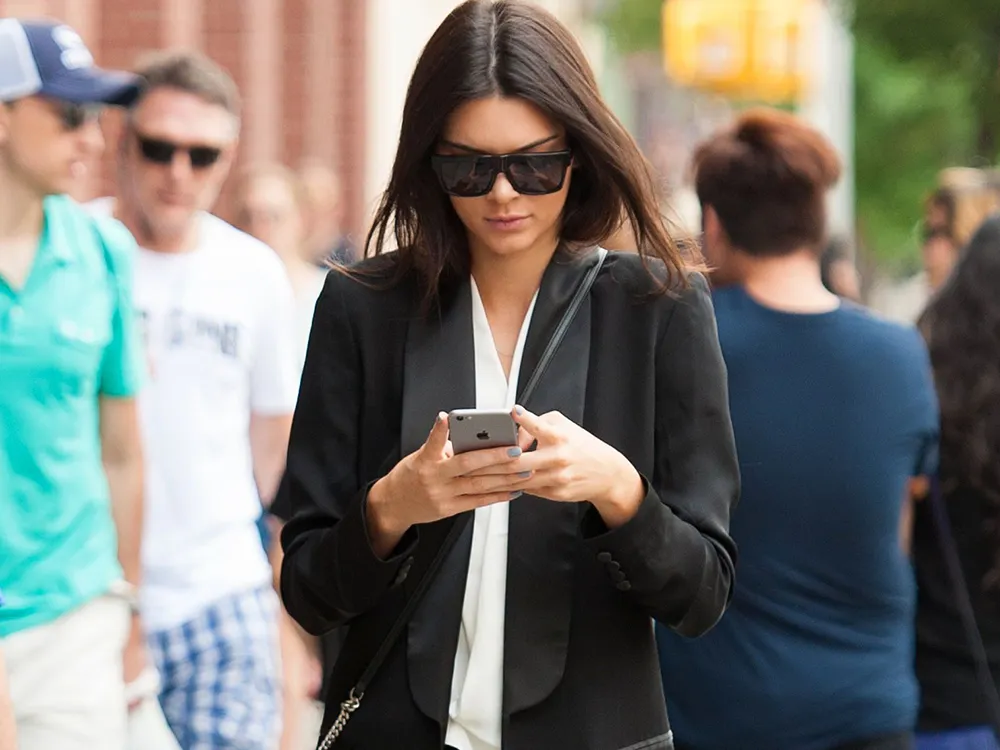
    kendall-jenner-L-phone
    kendall-jenner-L-phone
    (Image credit: Rex Features (Shutterstock))
    • Facebook
    • X
    • Pinterest
    Share this article
    Join the conversation
    Follow us
    Add us as a preferred source on Google
    Subscribe to our newsletter

    Need more iPhone storage? You don't have to delete all your stuff you know. These three quick hacks will sort you right out...

    It's seriously annoying when your iPhone can't keep up with your jam-packed social life and informs your that more iPhone storage is required because, really, who's got the time for that?

    Everyone gets 5GB of cloud storage when they get an Apple phone but, as we all know, that can get eaten up super-quick and if you're receiving that irritating pop-up from Apple every day, it means your phone is trying desperately to upload too much stuff to your iCloud account and you're danger of not saving all your precious data. Of course you could cave and purchase ten times more space from Apple for 99p a month, but we've got a few excellent ways (courtesy of Thrillist), that you can free up some cloud space - and they are simple, super-quick and, most importantly, free. (Hurrah). 1. Backup your iPhone on your computer

    Firstly, before you do anything else, backup your phone on your computer and transfer your photos and videos on to your computer as well (because mistakes do happen and we don't want to be held responsible).2. Delete your old phone backups

    Now let's get to the secret space-freeing hacks. A lesser known way to clear your phone of clutter is to get rid of the backups you no longer need, so head to 'Settings', then touch 'General Storage & iCloud Usage', and tap 'Manage Storage' under the iCloud section. If you spot and devices you don't use anymore, click 'Delete Backup' which will free up some precious space in 2016. (See ya, old iPhone 3 updates).
    You may like
    • A gua sha, a breakfast tray, and a woman in her pajamas in bed I Tried 3 Science-Backed, Expert-Approved Screen-Time Resets—and the Effect on My Focus and Sleep Was Remarkable
    • Zara shopping hacks The Zara Shopping Hacks You Need to Know, Plus 15 New-In Pieces Guaranteed to Sell Out
    • Health freelance writer Katie Sims trying a 20-minute wind down bedtime ritual I Swapped My Evening Scroll for a 20-Minute Wind-Down Ritual—Two Weeks Later, I Sleep Completely Differently

    Source: giphy

    3. Don't back up ALL your apps

    Marie Claire Newsletter

    Celebrity news, beauty, fashion advice, and fascinating features, delivered straight to your inbox!

    By submitting your information you agree to the Terms & Conditions and Privacy Policy and are aged 16 or over.

    Now this might sound controversial, but you shouldn't back up ALL your iPhone apps. Why? 'cos most of them take up space on iCloud when you could just choose the important ones you need to be up to date. Head to 'Settings', 'General' then 'Storage & iCloud Usage' and tap 'Manage Storage' under the iCloud section, then select your device, tap 'Show All Apps' and then go through and toggle off each app that you don't need to do a restore. You can see how much space each one takes up on the side which might help you be brutal.

    4. Don't back up your photos on iCloud

    Now here's the genius part that will save you a lot of space: backing up your pics on the 'My Photo Stream' section of your phone instead of iCloud is the answer to more glorious, invisible Cloud space, because the 'iCloud Photo Library' takes up space with each backup whereas the 'My Photo Stream' section on your phone uploads photos and sends your stuff to all your devices only when you're connected to Wi-Fi, meaning it doesn’t eat up any of your storage. (Who knew, eh?). Go to 'Settings' then 'iCloud' then 'Photos' and turn off 'iCloud Photo Library' and turn on 'My Photo Stream' to benefit from this trick. 5. Revel in your new storage space

    Now you should have enough space to complete an iCloud backup and banish those Apple pop-ups that are killing your daily phone-flow. Go to 'Settings', then 'iCloud', touch 'Backup' followed by 'Back Up Now' and... rejoice. You can now go about your iPhone business uninterrupted - until your new set of selfies clog it all up again anyway.

    Source:giphy

    Marie Claire
    Social Links Navigation

    The leading destination for fashion, beauty, shopping and finger-on-the-pulse views on the latest issues. Marie Claire's travel content helps you delight in discovering new destinations around the globe, offering a unique – and sometimes unchartered – travel experience. From new hotel openings to the destinations tipped to take over our travel calendars, this iconic name has it covered.

    Read more
    A gua sha, a breakfast tray, and a woman in her pajamas in bed
    Wellbeing I Tried 3 Science-Backed, Expert-Approved Screen-Time Resets—and the Effect on My Focus and Sleep Was Remarkable
    Zara shopping hacks
    Fashion The Zara Shopping Hacks You Need to Know, Plus 15 New-In Pieces Guaranteed to Sell Out
     
     
    Health freelance writer Katie Sims trying a 20-minute wind down bedtime ritual
    Wellbeing I Swapped My Evening Scroll for a 20-Minute Wind-Down Ritual—Two Weeks Later, I Sleep Completely Differently
    Trying the viral ‘Phone Detox’ Brick Device
    Health and Fitness Listen Up, Doomscrollers: I Tried the ‘Phone Detox’ Device Going Viral—and Wow, It Works
     
     
    Latest in Technology
    The Volvo EX60 - a true masterclass in design and an impressive leap for electric vehicles
    Technology Volvo’s Best-Selling Car Just Got an EV Upgrade—Why the EX60 May Just Convince You to Switch to Electric
    In a scene of mutual fascination, an indigenous mother and daughter bond over an intriguing discovery on a phone screen, deepening their connection through shared curiosity.
    Technology How to navigate your child's first phone without the door-slamming drama
     
     
    A woman uses EE technology
    Technology Three Ways To Enhance Your Children’s Learning With Technology
    Huawei nova 13
    Technology HUAWEI nova 13 Series are an accessory in their own right and come with some impressive features for creators
     
     
    Latest in Features
    Autumn Nail Trends 2026
    Nails From Fawn Print to Milky Matcha—These Are Autumn 2026’s Defining Nail Trends
    Fenty Beauty Pro Filtr Fluid Flex Foundation Review
    Make Up Fenty Beauty Just Replaced Its Most Iconic Foundation—3 Editors Put Its “Flexible” Full Coverage to the Test
     
     
    Charlotte Mensah Afro Hair
    Hair Charlotte Mensah Has Spent 40 Years Changing the Conversation Around Afro Hair—Now, Her Legacy Is Going on Display
    Dangers of sharing photos of children online
    Life I Used to Share Photos of My Daughter Online. Horrifying New AI Data Has Made Me Stop
     
     
    logoCreated with Sketch.
    • Site Archive
    • Contact Future's experts
    • Contact us
    • Terms and conditions
    • Advertise with us
    • Privacy policy
    • Cookies policy
    • About us
    Add as a preferred source on Google Add as a preferred source on Google

    Marie Claire UK is part of Future plc, an international media group and leading digital publisher. Visit our corporate site.

    © Future Publishing Limited Quay House, The Ambury, Bath BA1 1UA. All rights reserved. England and Wales company registration number 2008885.